
Insights · · 7 min read
How to Build Custom Apps Without Writing Any Code
Custom apps without code: what used to cost $20k and six months is now a conversation. The restaurant analogy, the vocabulary you need, and what to build first.
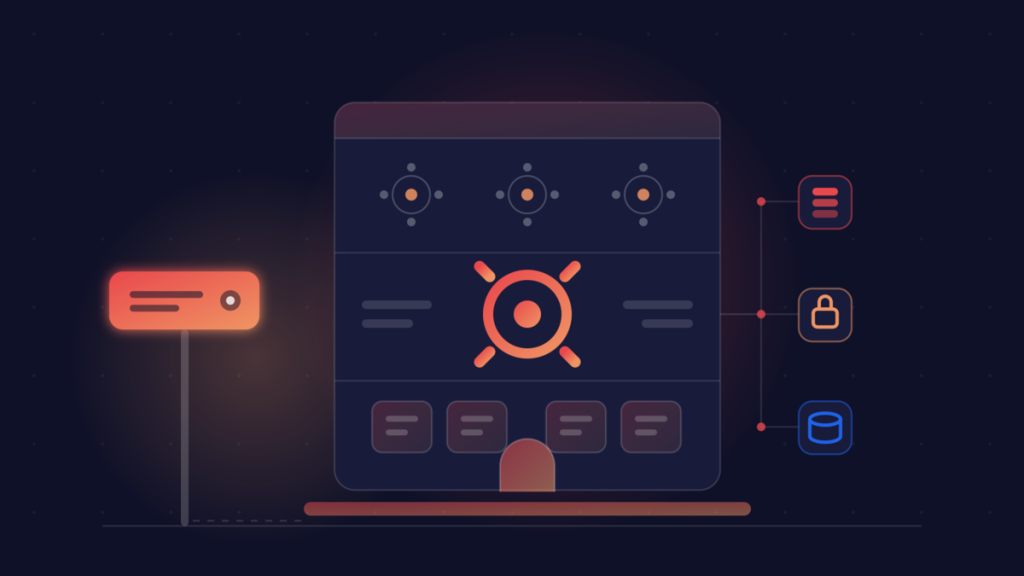
I opened this session at Business Blueprint with one question, and I wrote down every answer: what’s the spreadsheet, form or process you wish was an app? Because that list is exactly where custom apps without code now earn their keep.
Everyone in the room had one. A quote calculator living in a spreadsheet only one person understands. A booking form that emails someone who then re-types it somewhere else. An onboarding checklist buried in a Google Doc. None of these are hard problems. However, they have always been expensive ones — and that is the part which has genuinely changed.
What custom apps without code used to cost
Twenty to fifty thousand dollars. Three to six months. A developer, a designer and a project manager. For a website and a booking form.
That was the honest price a couple of years ago, which is why most of those spreadsheets are still spreadsheets. The maths never worked for a tool that saves one person four hours a week. So the workaround quietly became permanent.
That number has since collapsed. What hasn’t changed, though, is that nobody ever explained the moving parts to you, so it stays hard to judge what you are being sold. Let’s fix that first.
Every piece of software is a restaurant
This is the analogy I use in the room, and it holds up better than any architecture diagram:
- Dining room — the front end, and what your customers actually see.
- Kitchen — the back end, where the work happens out of sight.
- Pantry — the database, where everything is stored.
- The building — your hosting, because someone has to keep the lights on.
- Street sign — your domain, which is how people find you.
That is the whole thing. Every app you have ever used is those five parts in some arrangement. Once you can see the restaurant, custom apps without code stop being intimidating.
The only vocabulary you need
You don’t need to learn to code. Instead, you need to be able to say which part is broken, because that single sentence is the difference between a five-minute fix and a week of confusion:
- Frontend — what people see. You’d say: “the page looks wrong.”
- Backend — what happens after they click. You’d say: “nothing happens when I submit.”
- Database — where it’s kept. You’d say: “the data isn’t saving.”
- Hosting — where it lives. You’d say: “nobody else can see it.”
You never have to fix any of these. In practice, you just have to name the one that’s broken.
What “vibe coding” actually means
You describe what you want. Then the AI writes the code. Finally, you steer by looking at the result, never at the code itself.
It’s like hiring a brilliant chef who has cooked in every restaurant on earth, but never in yours. Extraordinary skill, zero context. Your job isn’t to cook. Rather, it is to say what the dish should be and to send it back when it isn’t right.
Three things to know about your new chef
AI is fast, literal and slightly overconfident. Specifically:
- It’s always confident. It sounds equally plausible when it’s right and when it’s wrong, because there is no warning tone.
- It has no memory. Only what’s in front of it right now.
- It will agree with you. Ask “should I do X?” and you get enthusiasm rather than an answer.
That last one is the expensive habit. So stop asking “should I do this?” and instead ask “what’s wrong with this approach?” You’ll get a genuinely useful answer, and it costs you nothing but the rephrasing.
AI writes the code. So what’s actually left?
“Build me a quote calculator” is now a conversation instead of a project. However, the code was never the hard part to buy. What’s left is everything around it: hosting, a database, a domain, an SSL certificate, backups, and somewhere safe for your API keys.
This is precisely the part that AI app builders gloss over. It is also the part which decides whether you own what you built, and it is why we treat hosting as the foundation of every build we take on.
Renting an app versus owning one
There are three rungs on the ladder, and all three write the code for you. Lovable: describe a page, watch it appear, it hosts the result for you. Replit: the same, except you can see and run the real code. Claude Code: runs on your own computer, on your own files.
Lovable is a furnished apartment. Claude Code is an empty lot with a great architect. Therefore the question isn’t which tool is best — it’s where the thing lives afterwards.
With a typical AI app builder, your work lives on their platform and their subdomain, running on their built-in AI with metered credits, with your data in their cloud. Moving away later becomes a migration project. On hosting you control, by contrast, it’s your domain, your own Claude subscription, your data, and any developer can pick it up because it is standard hosting underneath. In short: prototype anywhere you like, then run your business on infrastructure you own. That is the same argument I make about automations being assets rather than expenses.
Where custom apps without code are safe to build
If you forget everything else, remember this part. Think of it as three bands.
Build freely — front-of-house jobs. Landing pages, lead forms, calculators, quizzes, dashboards on non-sensitive data, internal utilities. Break one of these and you have lost an afternoon.
Build, then get it reviewed — staff-only doors. Logins, customer portals, file uploads, payments (always through a hosted provider, never rolled yourself), plus anything that emails customers automatically.
Not without professionals — guests never get pantry keys. Health or financial records, payroll, identity documents, and anything where one customer must never be able to see another’s data.
Start in the green band. Everything you build in your first month should live there, and if you’re unsure which band your idea falls into, our fit check exists for exactly that question.
Why custom apps without code are safe on a live site
The fear I hear most often is that the AI will break something you cannot undo. The answer is process rather than trust: work on copies with a snapshot taken first, test before going live, ask before anything irreversible, and keep one-click undo. Moreover, a repository keeps every version your project has ever been, so “it worked an hour ago” stops being a feeling and becomes a place you can go back to.
Three steps to build custom apps without code
- Get your hosting. Your own hosting account, your own subdomain, free SSL. Under a minute.
- Connect Claude. Copy one command into Claude Code. That is the entire setup.
- Describe what you want. “A form where clients book a time and I get an email.” It gets planned, built and deployed, then you get a live link.
Custom apps are included from our Support Plus plan up, with clear allowances so there are no surprise bills — Claude checks what you’re allowed before it builds anything. If you have questions about the boundaries, most of them are answered on our FAQ page.
So: which one are you building first?
Go back to the question I opened with — the spreadsheet, the form, the process. Pick whichever annoys you most, check that it sits in the green band, then describe it out loud in one sentence. That sentence is now most of the work, which is genuinely the strangest thing about building custom apps without code in 2026.
If you’d rather talk it through before you start, book a call and bring your one sentence.
Want systems like this in your business?
We build the automations that turn your processes into assets.